
Flow
Build and review flow cytometry workspaces with gates, sample context, and population statistics.
The Flow app is EpistaBase's focused environment for flow cytometry. Use it when you need saved gating work, not just a quick scatter preview.
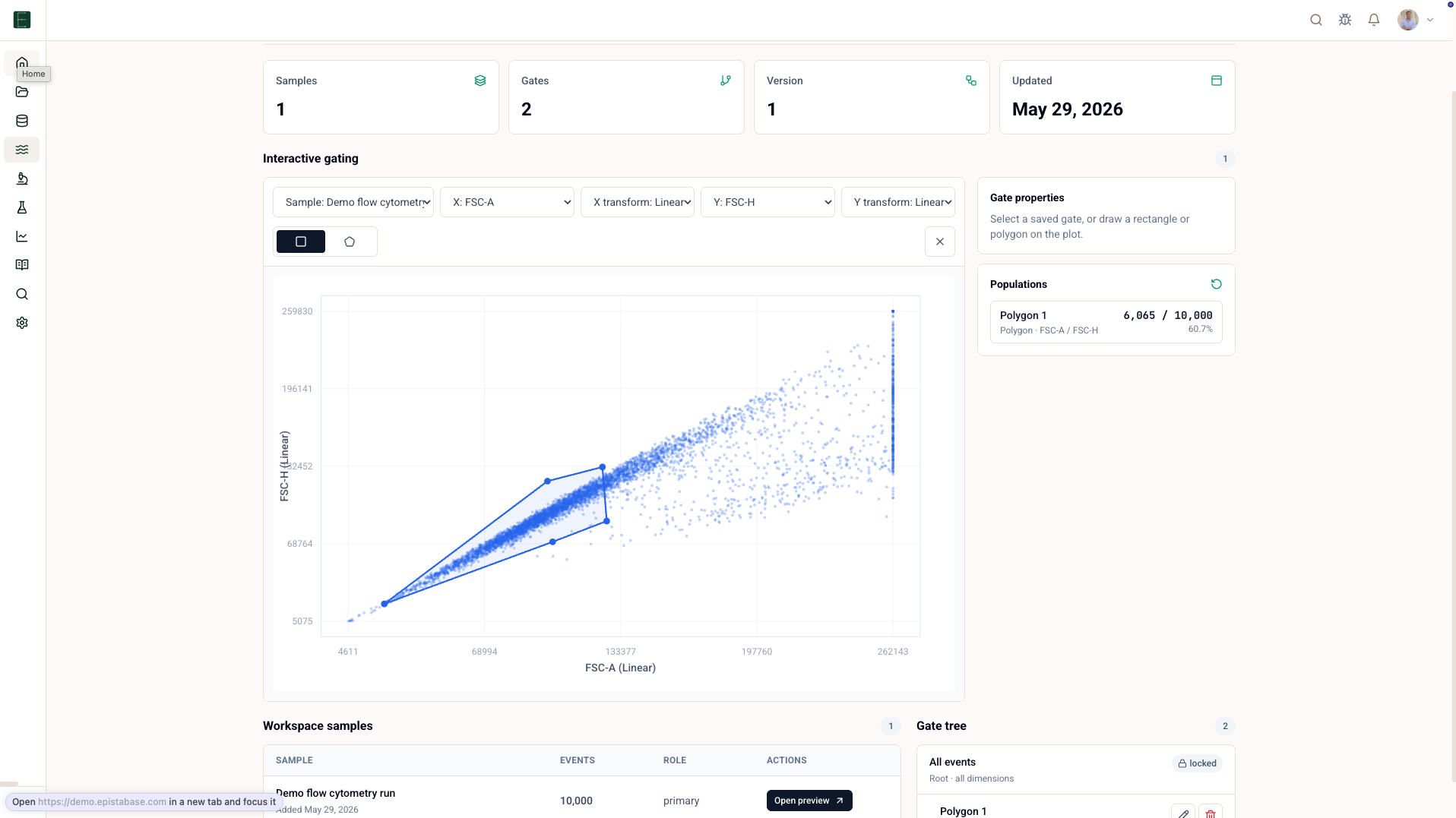
What a Flow workspace contains
| Part | What it does |
|---|---|
| Samples | Parsed FCS files attached to the workspace. |
| Plot | Scatter, histogram, density, pseudocolor, or overlay view. |
| Channels | FCS channel labels and markers extracted during parsing. |
| Gates | A hierarchy starting from locked All events. |
| Statistics | Counts, percent parent/total, and selected channel statistics. |
| Template state | Saved hierarchy and settings that can be reused. |
Open a Flow workspace
- Open Flow.
- Open the workspace you want to review.
- Select one sample.
- Inspect the gate tree from
All eventsto the population of interest. - Read the statistics table for the selected gates and samples.
Draw and edit gates
Flow supports drawing gate types directly on the plot, including rectangle, polygon, ellipse, threshold/range, quadrant-set, and boolean gates. The root gate is locked so the tree cannot lose its base population.
Use names that describe the biological population, not the drawing operation:
| Better | Avoid |
|---|---|
| Cells | rectangle 1 |
| Singlets | gate copy |
| Annexin V / PI high | top right |
Read population statistics
Population statistics use the same gated event basis as the plot. Common columns include:
- event count
- percent of parent
- percent of total
- mean
- median
- geometric mean
- coefficient of variation
Statistics export includes workspace, sample, gate, channel, statistic, and value context so exported results can still be interpreted.
Save and publish
Edits are saved with the workspace. When the gating strategy is ready to share, publish the workspace so collaborators can return to a stable analysis state instead of a moving draft. Treat published Flow workspaces like a methods result: name gates clearly, check the statistics, then link the published output from the project report or analysis.